
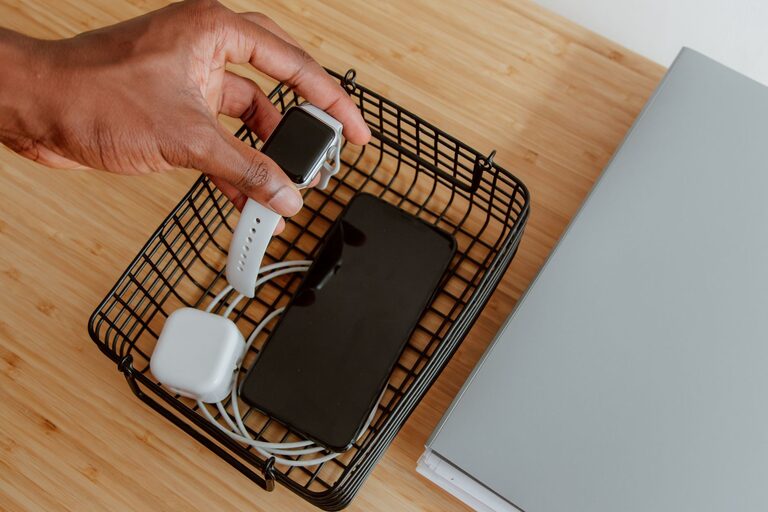
Creating a dedicated charging station for your devices can save time, reduce clutter, and help keep your gadgets ready to use. Whether you have smartphones, tablets, smartwatches, or other rechargeable devices, having a central spot to charge everything simplifies your routine and enhances your living or working space.
In this guide, we’ll walk you through the essential steps to set up your own charging station. From choosing the right location and equipment to managing cables efficiently, you’ll learn how to create an organized and practical charging area.
Why Set Up a Charging Station?
Before diving into the setup process, it helps to understand the benefits of having a charging station:
– Organization: Keep all devices and chargers in one place instead of scattered around.
– Convenience: Easily find your devices and charge them without hunting for cables and outlets.
– Safety: Reduce the risk of tripping over cables or damaging devices with tangled wires.
– Efficiency: Charge multiple devices at once with the right equipment.
Now, let’s explore how to create a charging station that suits your needs.
Step 1: Choose the Ideal Location
Selecting the right spot is the foundation of an effective charging station.
– Accessibility: Pick a location that is easy to reach, such as a corner in your living room, bedroom, or office desk.
– Near Power Outlets: Ensure there are enough electrical outlets nearby to support all your devices.
– Surface Space: Look for a flat surface like a small table, shelf, or dedicated charging dock.
– Ventilation: Avoid placing devices in enclosed spaces that can trap heat during charging.
Step 2: Gather Your Charging Gear
Next, consider the equipment you’ll need to accommodate your devices.
Chargers
– Multi-port USB Chargers: These allow you to charge several devices simultaneously using a single outlet.
– Wireless Chargers: Ideal for devices that support wireless charging, helping reduce cable clutter.
– Individual Chargers: For devices that require unique power adapters.
Charging Station Base
– Organizer Boxes or Trays: Keep devices neatly arranged and prevent them from sliding off.
– Cable Management Accessories: Clips, sleeves, or ties help keep cables untangled and orderly.
– Charging Dock or Stand: Some stations come with built-in holders for devices.
Step 3: Plan Cable Management
Cables can quickly become messy if not managed well. Here’s how to keep them tidy:
– Use cable clips or holders to route cables along the edges of your desk or furniture.
– Invest in cable sleeves or tubes to bundle multiple cables together.
– Attach label tags to cords for easy identification.
– Consider shorter cables where possible, since excessively long cables create extra clutter.
– Hide excess cable length behind furniture or inside storage compartments.
Step 4: Set Up the Station
Follow these steps to assemble your charging station:
- **Position your power strip or multi-port charger** close to the power outlet.
- **Place the charging dock or organizer** on your chosen surface.
- **Connect all charging cables** to the ports or adapters.
- **Arrange devices on the station** according to their size and charging needs.
- **Secure cables** using clips, ties, or sleeves.
- **Test all devices** to ensure they charge properly.
Step 5: Maintain Your Charging Station
To keep your station functional and neat over time:
– Regularly clean the area to prevent dust buildup.
– Check cables and chargers for wear and replace damaged ones promptly.
– Rearrange devices if your collection grows or changes.
– Avoid overloading power strips; use surge protectors for safety.
Additional Tips for a Better Charging Station
– Consider portability: Use a charging station with a handle or compact design if you need to move it frequently.
– Add lighting: Small LED lights make it easier to connect devices at night.
– Incorporate storage: Use drawers or containers nearby to hold accessories like earbuds, power banks, or adapters.
– Use smart plugs: These allow you to control charging times and save energy.
Conclusion
Setting up a dedicated charging station is a simple but effective way to keep your devices powered and your space organized. By choosing the right location, gathering the proper equipment, managing cables neatly, and maintaining the station over time, you can enjoy a clutter-free area that meets your charging needs. Whether at home or in the office, a well-designed charging station adds convenience and peace of mind to your daily routine.